
Oticon ON - Get APK
You'll be able to download in few seconds.
Publisher Description
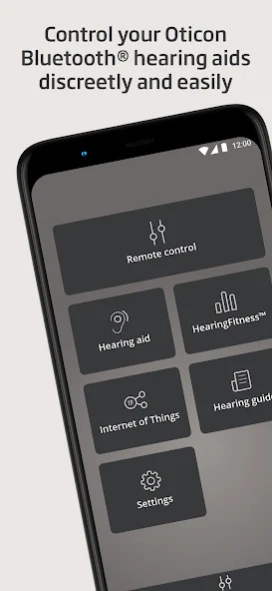
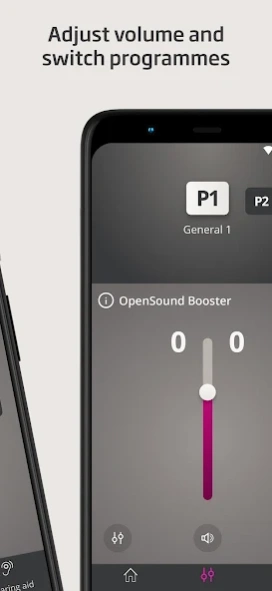
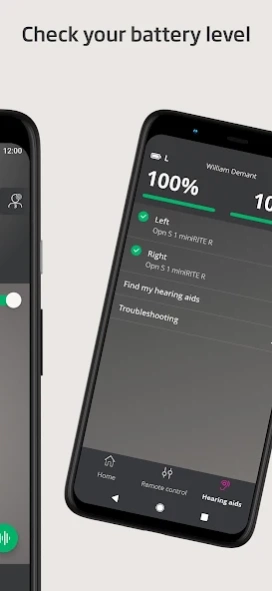
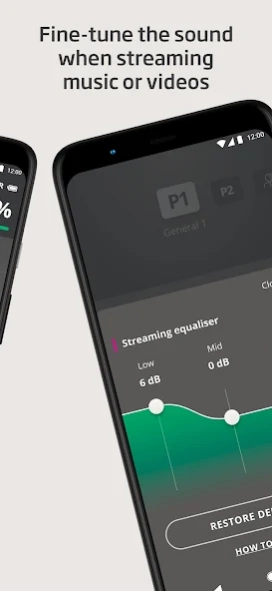
Control your hearing aids discreetly with the touch of a finger
The Oticon ON App provides discreet remote control of your hearing aids, letting you adjust the volume of your hearing aids independently, switch between listening programs, keep an eye on your battery level or even help you find your hearing aids if you lose them.
The Oticon ON App also enables you to:
• Access specific programs designed to help you move your attention away from your tinnitus - if enabled by your hearing care professional during the fitting session
• Handle wireless accessories paired with your hearing aids; control multiple TV Adapters, or devices such as Oticon EduMic or ConnectClip which can be used both for streaming and as remote microphones
• Fine-tune the sound when watching a movie or streaming audio using the streaming equalizer, for a personalized listening experience. The streaming equalizer is available for all Oticon Bluetooth hearing aids except Oticon Opn and Oticon Siya, if your devices support audio streaming.
• Set personal listening goals and follow your daily hearing aid use through HearingFitness™
• Connect to a wide variety of Internet-connected solutions through the Internet of Things
The Oticon ON App is compatible with all Oticon Bluetooth hearing aids. Depending on the hearing aids and the mobile device you are using, you may or may not have access to all features the app offers.
We recommend using the latest version of Android OS.
To check the latest list of compatible devices, please visit:
https://www.oticon.com/support/compatibility
About Oticon ON
The company that develops Oticon ON is Oticon A/S. The latest version released by its developer is 1.0 .
To install Oticon ON on your Android device, just click the green Continue To App button above to start the installation process. The app is listed on our website since 2021-09-27 and was downloaded 0 times. We have already checked if the download link is safe, however for your own protection we recommend that you scan the downloaded app with your antivirus. Your antivirus may detect the Oticon ON as malware as malware if the download link to com.oticon.remotecontrol is broken.
How to install Oticon ON on your Android device:
- Click on the Continue To App button on our website. This will redirect you to Google Play.
- Once the Oticon ON is shown in the Google Play listing of your Android device, you can start its download and installation. Tap on the Install button located below the search bar and to the right of the app icon.
- A pop-up window with the permissions required by Oticon ON will be shown. Click on Accept to continue the process.
- Oticon ON will be downloaded onto your device, displaying a progress. Once the download completes, the installation will start and you'll get a notification after the installation is finished.
Program Details
System requirements
Download information
Pricing
Version History
version
posted on 2021-09-27
Thank you for using Oticon ON!
To improve your experience, we regularly update the app to make it more reliable and easier to use.
Improvements and bug fixes in this update include:
. Compatibility with new Oticon hearing aids
. Minor performance improvements
. Bug fixes for connectivity issues
version
posted on 2021-04-06
Your Oticon ON App just got better!
To improve your experience, we regularly update the app to make it more reliable and easier to use.
In this release, we have created a new notification center so we can reach you when we have important news.
We hope that you will like the changes. Thank you for using the Oticon ON App!
version
posted on 2020-12-01
Your Oticon ON App just got better!
To improve your experience, we regularly update the app to make it more reliable and easier to use.
In this release, we have listened to your feedback and added a new streaming equalizer feature that enables you to fine-tune the sound when watching a movie or streaming audio, for a personalized listening experience.
We hope that you will like the changes. Thank you for using the Oticon ON App!
version 2.1.0.9367
posted on 2020-05-06
Your Oticon ON App just got better!
To improve your experience, we regularly update the app to make it more reliable and easier to use.
In this release, we have listened to your feedback and added a new feature allowing you to manage your TV Adapters, and easily switch between them in the app.
Thank you for using the Oticon ON App!
version 2.0.2.8660
posted on 2020-02-07
Thanks for using the Oticon ON App!
To improve your experience, we regularly update the app to make it more reliable and easier to use.
In this update, we have made minor performance improvements and bug fixes to make the app more stable.
version 2.0.1.8483
posted on 2019-11-21
The Oticon ON App has been updated! We’ve listened to your feedback and added new features, including: a new app design, an optimized remote control section, a new section called “Hearing aids,” and a new sign up flow.
Update the app and check out the new user interface.
We hope that you will like the changes. Thank you for using our app!
version 1.10.0(6582)
posted on 2019-02-22
Your Oticon ON App just got better. We’re constantly working on improving the app by listening to your feedback and adding new features. This time we have:
. Given you detailed battery level information for the new rechargeable miniRITE R hearing aids.
. Added OpenSound Booster - Turn it on if you are tired or finding it hard to focus on speech (if supported by hearing aids).
. Made improvements and fixed bugs.
version 1.8.1(4361)_HEAD
posted on 2018-01-31
Minor improvements.
version 1.0.9(2153)
posted on 2016-11-23
Version 1.0.9,First public release of the Oticon ON App
Disclaimer
External Download
We do not host Oticon ON on our servers. We did not scan it for viruses, adware, spyware or other type of malware. This app is hosted by Galad and passed their terms and conditions to be listed there. We recommend caution when installing it.
The APK Download link for Oticon ON is provided to you by apps112.com without any warranties, representations or guarantees of any kind, so access it at your own risk.
If you have questions regarding this particular app contact the publisher directly. For questions about the functionalities of apps112.com contact us.
